Show the Mess, Win the Client: Why Rough Edits Close More Deals Than Perfect Ones
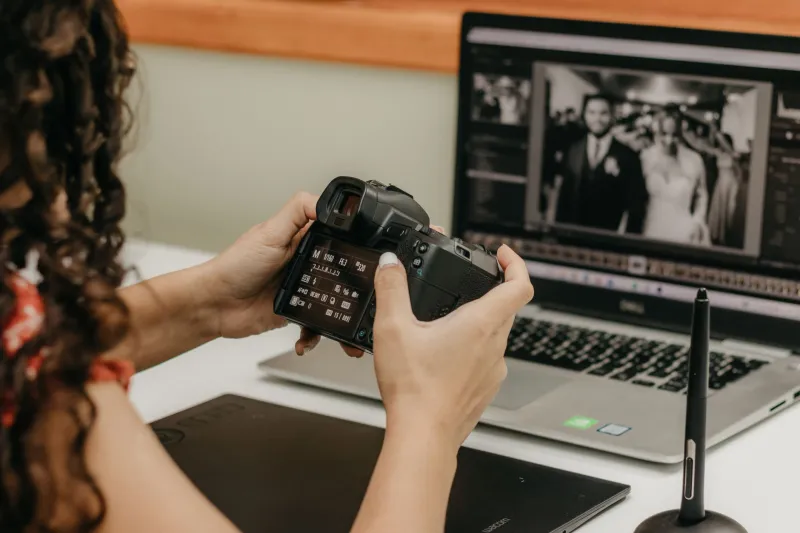
Here's a thought that probably makes your stomach drop a little: what if the secret to landing more clients and cutting your revision cycle in half is showing them your work before it's ready?
Not the polished gallery. Not the color-graded, skin-smoothed, export-ready final set. The rough stuff — the selects with basic exposure corrections and a quick tone curve. The "this is where we're headed" version.
It sounds counterintuitive. Maybe even a little reckless. But a growing number of photographers across the US are building entire client workflows around the early preview, and the results are hard to argue with.
What a 15-Minute Preview Actually Looks Like
The concept is pretty simple. Within 15 to 30 minutes of wrapping a shoot — or at a natural stopping point during a longer session — you pull 10 to 15 selects, run a quick batch preset, and fire them off to the client. No retouching. No final color work. Just enough to show direction, mood, and composition.
This isn't about delivering a finished product early. It's about opening a feedback loop while the creative energy is still alive.
Laura Chen, a commercial and portrait photographer based in Austin, Texas, started doing this two years ago after a nightmare revision cycle with a corporate client. "I delivered what I thought was a perfect gallery," she says. "They came back wanting a completely different color temperature — warmer, moodier. Everything I'd done had to be redone. It cost me 12 hours."
After that experience, she built a quick-preview step into every shoot. "Now I send a rough look within 20 minutes. If the vibe is off, we catch it before I've invested real time into the edit. My revision requests dropped by about 60% in the first three months."
The Psychology Behind Why It Works
There's a reason this strategy is gaining traction, and it goes deeper than just catching color mistakes early.
When clients see a work-in-progress, something shifts in how they engage with the project. They move from passive recipients to active collaborators. That sense of involvement builds trust — and trust is what drives repeat bookings.
Research in client experience consistently shows that transparency during a service process increases satisfaction scores even when the final product is identical. People feel better about outcomes they had a hand in shaping, even if their actual input was minimal. In photography, that might mean a client says "yes, I love the warm tones" and then receives a final gallery that matches what they approved. Suddenly, that gallery feels like a co-creation rather than a delivery.
Mike Torres, a wedding photographer working the competitive New York and New Jersey market, calls it "the approval effect." "When clients have already said yes to the direction, they're not second-guessing the final delivery," he explains. "They're just excited to see the full version of something they've already bought into."
Torres tracks his repeat booking rate carefully. Since implementing early previews into his wedding workflow, he says clients who received a rough preview were 40% more likely to book him for engagement sessions, anniversary shoots, or family portraits within 18 months.
Speed Is the Trust Signal
Here's where the PhotoRush angle really kicks in: the speed of the preview matters almost as much as the content.
Sending rough edits three days after a shoot doesn't carry the same psychological weight as sending them the same afternoon — or even within the hour. Rapid delivery signals competence, enthusiasm, and professionalism. It tells clients you're on top of your work and genuinely invested in the outcome.
Jessica Holt, a brand photographer in Chicago who shoots heavily for e-commerce clients, uses a batch preset system that lets her prep a 15-image preview in under 10 minutes. "I'm sending previews before most photographers have even backed up their cards," she says. "Clients love it. I've had people say it was the most impressive thing any photographer had ever done for them — and it's literally just a quick Lightroom preset and an email."
Holt's client satisfaction survey scores average 4.9 out of 5. She attributes a significant portion of that to the preview workflow. "People feel seen. They feel like you care about getting it right, not just getting it done."
The Practical Setup: How to Build This Into Your Workflow
If you want to try this, you don't need a complicated system. Here's a straightforward approach:
1. Create a "preview preset" in your editing software. This should be a single-click look that handles basic exposure, contrast, and a general color tone that represents your style. Don't overthink it — the goal is direction, not perfection.
2. Cull fast. Right after a shoot, spend five minutes pulling your strongest 10 to 15 images. These should represent the range of the session — different setups, expressions, or scenes.
3. Apply and export quickly. Batch apply your preview preset and export at medium resolution. You're not delivering finals, so full-res exports aren't necessary.
4. Send with context. Don't just drop a link. Include a short note explaining that these are directional previews — rough cuts that show where you're headed. Ask one or two specific questions: Does the color feel right? Is there a particular frame they're already loving?
5. Use the feedback before you go deep. Wait for a quick response before committing to your full edit. This is the step that actually saves you the revision hours.
What to Watch Out For
This strategy isn't completely without risk. A few things to keep in mind:
Set expectations clearly upfront. If clients don't understand that previews are rough, they might panic at an unretouched skin tone or a slightly blown highlight. A quick disclaimer goes a long way.
Also, not every client needs this. Some — particularly experienced commercial clients or longtime repeat bookings — just want the final gallery and trust your judgment. Read your audience.
And don't let the preview become a second deliverable. The goal is a quick gut-check, not a full critique session. Keep your preview note short, your questions specific, and your turnaround time on their response tight.
The Bottom Line
The photographers winning right now aren't necessarily the ones with the most technical skill or the biggest Instagram following. They're the ones who've figured out how to make clients feel like partners in the creative process — and they're doing it fast.
Showing rough work early isn't a sign of weakness. It's a signal that you're confident, communicative, and committed to getting it right. And in a market where clients have endless options, that kind of transparency is genuinely rare.
Fifteen minutes after the shoot ends, you could already be building the kind of trust that turns a one-time booking into a long-term client relationship. That's not a bad return on a quick batch export.